

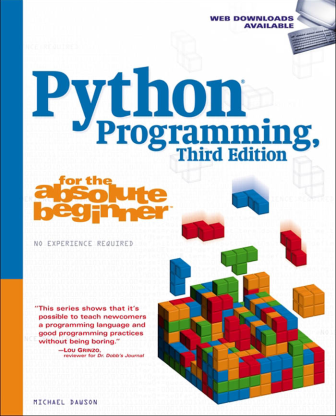
Python® Programming for the Absolute Beginner, Third Edition
Chapter 1 Getting Started: The Game Over Program............. 1
Examining the Game Over Program................................................................................. 1
Introducing Python............................................................................................................... 3
Python Is Easy to Use.................................................................................................... 3
Python Is Powerful ........................................................................................................ 3
Python Is Object-Oriented........................................................................................... 3
Python Is a “Glue” Language...................................................................................... 4
Python Runs Everywhere............................................................................................. 4
Python Has a Strong Community ............................................................................. 4
Python Is Free and Open Source................................................................................ 5
Setting Up Python on Windows......................................................................................... 5
Installing Python on Windows .................................................................................. 5
Setting Up Python on Other Operating Systems........................................................... 6
Introducing IDLE.................................................................................................................... 7
Programming in Interactive Mode ........................................................................... 7
Programming in Script Mode .................................................................................. 10
Back to the Game Over Program...................................................................................... 12
Using Comments ......................................................................................................... 12
Using Blank Lines ........................................................................................................ 13
Printing the String...................................................................................................... 13
Waiting for the User................................................................................................... 14
Summary................................................................................................................................ 14
Types, Variables, and Simple I/O: The Useless Trivia
Program..................................................................... 15
Chapter 2
Introducing the Useless Trivia Program........................................................................ 15
Using Quotes with Strings................................................................................................. 16
Introducing the Game Over 2.0 Program ............................................................. 16
Using Quotes Inside Strings ..................................................................................... 18
Printing Multiple Values ........................................................................................... 19
Specifying a Final String to Print............................................................................ 19
Creating Triple-Quoted Strings................................................................................ 20
Using Escape Sequences with Strings............................................................................. 21
Introducing the Fancy Credits Program ............................................................... 21
Moving Forward a Tab Stop ...................................................................................... 22
Printing a Backslash ................................................................................................... 22
Inserting a Newline .................................................................................................... 23
Inserting a Quote......................................................................................................... 23
Sounding the System Bell ......................................................................................... 23
Concatenating and Repeating Strings........................................................................... 24
Introducing the Silly Strings Program .................................................................. 24
Concatenating Strings ............................................................................................... 25
Using the Line Continuation Character................................................................ 26
Repeating Strings ........................................................................................................ 26
Working with Numbers..................................................................................................... 27
Introducing the Word Problems Program............................................................ 27
Understanding Numeric Types................................................................................ 28
Using Mathematical Operators................................................................................ 29
Understanding Variables................................................................................................... 30
Introducing the Greeter Program........................................................................... 30
Creating Variables....................................................................................................... 31
Using Variables ............................................................................................................ 31
Naming Variables........................................................................................................ 32
Getting User Input............................................................................................................... 33
Introducing the Personal Greeter Program ......................................................... 33
Using the input() Function........................................................................................ 34
Using String Methods......................................................................................................... 35
Introducing the Quotation Manipulation Program .......................................... 35
Creating New Strings with String Methods ......................................................... 36
Using the Right Types......................................................................................................... 38
Introducing the Trust Fund Buddy–Bad Program.............................................. 38
Tracking Down Logical Errors.................................................................................. 40
Converting Values................................................................................................................ 41
Introducing the Trust Fund Buddy–Good Program........................................... 41
Converting Strings to Integers................................................................................. 42
Using Augmented Assignment Operators ............................................................ 44
Back to the Useless Trivia Program................................................................................. 44
Creating the Initial Comments ............................................................................... 44
Getting the User Input............................................................................................... 45
Printing Lowercase and Uppercase Versions of name....................................... 45
Printing name Five Times ......................................................................................... 46
Calculating seconds.................................................................................................... 46
Calculating moon_weight and sun_weight......................................................... 46
Waiting for the User................................................................................................... 46
Summary................................................................................................................................ 47
Branching, while Loops, and Program Planning:
The Guess My Number Game................................... 49
Chapter 3
Introducing the Guess My Number Game.................................................................... 50
Generating Random Numbers......................................................................................... 50
Introducing the Craps Roller Program.................................................................. 50
Importing the random Module ............................................................................... 51
Using the randint() Function.................................................................................... 52
Using the randrange() Function .............................................................................. 52
Using the if Statement....................................................................................................... 53
Introducing the Password Program ....................................................................... 53
Examining the if Statement..................................................................................... 55
Creating Conditions ................................................................................................... 55
Understanding Comparison Operators ................................................................. 55
Using Indentation to Create Blocks........................................................................ 56
Building Your Own if Statement............................................................................. 57
Using the else Clause.......................................................................................................... 57
Introducing the Granted or Denied Program...................................................... 57
Examining the else Clause........................................................................................ 59
Using the elif Clause........................................................................................................... 59
Introducing the Mood Computer Program .......................................................... 59
Examining the elif Clause......................................................................................... 62
Creating while Loops.......................................................................................................... 63
Introducing the Three-Year-Old Simulator Program......................................... 63
Examining the while Loop........................................................................................ 64
Initializing the Sentry Variable............................................................................... 65
Checking the Sentry Variable .................................................................................. 65
Updating the Sentry Variable................................................................................... 66
Avoiding Infinite Loops...................................................................................................... 66
Introducing the Losing Battle Program ................................................................ 66
Tracing the Program................................................................................................... 68
Creating Conditions That Can Become False....................................................... 69
Treating Values as Conditions.......................................................................................... 69
Introducing the Maitre D’ Program ....................................................................... 70
Interpreting Any Value as True or False................................................................ 71
Creating Intentional Infinite Loops................................................................................ 72
Introducing the Finicky Counter Program........................................................... 72
Using the break Statement to Exit a Loop............................................................ 73
Using the continue Statement to Jump Back to the Top of a Loop................ 73
Understanding When to Use break and continue.............................................. 73
Using Compound Conditions........................................................................................... 74
Introducing the Exclusive Network Program...................................................... 74
Understanding the not Logical Operator.............................................................. 77
Understanding the and Logical Operator............................................................. 78
Understanding the or Logical Operator................................................................ 79
Planning Your Programs.................................................................................................... 80
Creating Algorithms with Pseudocode.................................................................. 80
Applying Stepwise Refinement to Your Algorithms.......................................... 81
Returning to the Guess My Number Game................................................................... 81
Planning the Program................................................................................................ 81
Creating the Initial Comment Block...................................................................... 82
Importing the random Module ............................................................................... 83
Explaining the Game.................................................................................................. 83
Setting the Initial Values........................................................................................... 83
Creating a Guessing Loop.......................................................................................... 83
Congratulating the Player ........................................................................................ 84
Waiting for the Player to Quit ................................................................................. 84
Summary................................................................................................................................ 84
for Loops, Strings, and Tuples: The Word Jumble
Game........................................................................... 87
Chapter 4
Introducing the Word Jumble Game.............................................................................. 87
Using for Loops..................................................................................................................... 88
Introducing the Loopy String Program ................................................................. 88
Understanding for Loops........................................................................................... 89
Creating a for Loop ..................................................................................................... 90
Counting with a for Loop................................................................................................... 90
Introducing the Counter Program ......................................................................... 90
Counting Forwards ..................................................................................................... 92
Counting by Fives........................................................................................................ 93
Counting Backwards .................................................................................................. 93
Using Sequence Operators and Functions with Strings............................................ 93
Introducing the Message Analyzer Program........................................................ 94
Using the len() Function ............................................................................................ 95
Using the in Operator ................................................................................................ 95
Indexing Strings................................................................................................................... 95
Introducing the Random Access Program............................................................ 96
Working with Positive Position Numbers ............................................................ 97
Working with Negative Position Numbers .......................................................... 98
Accessing a Random String Element ..................................................................... 99
Understanding String Immutability............................................................................ 100
Building a New String...................................................................................................... 101
Introducing the No Vowels Program ................................................................... 101
Creating Constants ................................................................................................... 102
Creating New Strings from Existing Ones.......................................................... 103
Slicing Strings..................................................................................................................... 104
Introducing the Pizza Slicer Program ................................................................. 104
Introducing None...................................................................................................... 106
Understanding Slicing ............................................................................................. 106
Creating Slices............................................................................................................ 107
Using Slicing Shorthand.......................................................................................... 108
Creating Tuples.......................................................................................................... 108
Introducing the Hero’s Inventory Program ....................................................... 109
Creating an Empty Tuple ........................................................................................ 110
Treating a Tuple as a Condition ............................................................................ 110
Creating a Tuple with Elements............................................................................ 111
Printing a Tuple......................................................................................................... 111
Looping Through a Tuple’s Elements .................................................................. 111
Using Tuples........................................................................................................................ 112
Introducing the Hero’s Inventory 2.0 .................................................................. 112
Setting Up the Program........................................................................................... 113
Using the len() Function with Tuples................................................................... 113
Using the in Operator with Tuples....................................................................... 114
Indexing Tuples ......................................................................................................... 114
Slicing Tuples ............................................................................................................. 114
Understanding Tuple Immutability..................................................................... 115
Concatenating Tuples .............................................................................................. 115
Back to the Word Jumble Game.................................................................................... 116
Setting Up the Program........................................................................................... 116
Planning the Jumble Creation Section................................................................ 117
Creating an Empty Jumble String......................................................................... 117
Setting Up the Loop .................................................................................................. 118
Generating a Random Position in word.............................................................. 118
Creating a New Version of jumble........................................................................ 118
Creating a New Version of word............................................................................ 118
Welcoming the Player.............................................................................................. 118
Getting the Player’s Guess ...................................................................................... 119
Congratulating the Player ...................................................................................... 119
Ending the Game....................................................................................................... 119
Summary.............................................................................................................................. 119
Chapter 5 Lists and Dictionaries: The Hangman Game........ 121
Introducing the Hangman Game.................................................................................. 121
Using Lists............................................................................................................................ 123
Introducing the Hero’s Inventory 3.0 Program................................................. 123
Creating a List ............................................................................................................ 124
Using the len() Function with Lists....................................................................... 125
Using the in Operator with Lists ........................................................................... 125
Indexing Lists ............................................................................................................. 125
Slicing Lists ................................................................................................................. 125
Concatenating Lists .................................................................................................. 126
Understanding List Mutability .............................................................................. 126
Assigning a New List Element by Index .............................................................. 126
Assigning a New List Slice....................................................................................... 127
Deleting a List Element............................................................................................ 127
Deleting a List Slice................................................................................................... 128
Using List Methods............................................................................................................ 128
Introducing the High Scores Program................................................................. 128
Setting Up the Program........................................................................................... 129
Displaying the Menu ................................................................................................ 129
Exiting the Program ................................................................................................. 130
Displaying the Scores ............................................................................................... 130
Adding a Score ........................................................................................................... 130
Removing a Score ...................................................................................................... 131
Sorting the Scores ..................................................................................................... 131
Dealing with an Invalid Choice............................................................................. 132
Waiting for the User................................................................................................. 132
Understanding When to Use Tuples Instead of Lists............................................... 133
Using Nested Sequences.................................................................................................. 133
Introducing the High Scores 2.0 Program .......................................................... 133
Creating Nested Sequences..................................................................................... 134
Accessing Nested Elements..................................................................................... 135
Unpacking a Sequence............................................................................................. 136
Setting Up the Program........................................................................................... 136
Displaying the Scores by Accessing Nested Tuples........................................... 137
Adding a Score by Appending a Nested Tuple................................................... 137
Dealing with an Invalid Choice............................................................................. 137
Waiting for the User................................................................................................. 138
Understanding Shared References................................................................................ 138
Using Dictionaries............................................................................................................. 140
Introducing the Geek Translator Program......................................................... 140
Creating Dictionaries ............................................................................................... 141
Accessing Dictionary Values................................................................................... 142
Setting Up the Program........................................................................................... 144
Getting a Value .......................................................................................................... 145
Adding a Key-Value Pair........................................................................................... 145
Replacing a Key-Value Pair...................................................................................... 146
Deleting a Key-Value Pair ........................................................................................ 146
Wrapping Up the Program ..................................................................................... 147
Understanding Dictionary Requirements .......................................................... 147
Back to the Hangman Game........................................................................................... 148
Setting Up the Program........................................................................................... 148
Creating Constants ................................................................................................... 149
Initializing the Variables......................................................................................... 152
Creating the Main Loop ........................................................................................... 152
Getting the Player’s Guess ...................................................................................... 153
Checking the Guess................................................................................................... 153
Ending the Game....................................................................................................... 154
Summary.............................................................................................................................. 154
Chapter 6 Functions: The Tic-Tac-Toe Game........................ 157
Introducing the Tic-Tac-Toe Game................................................................................ 157
Creating Functions............................................................................................................ 159
Introducing the Instructions Program................................................................ 159
Defining a Function.................................................................................................. 161
Documenting a Function ........................................................................................ 161
Calling a Programmer-Created Function............................................................ 161
Understanding Abstraction.................................................................................... 162
Using Parameters and Return Values........................................................................... 162
Introducing the Receive and Return Program .................................................. 162
Receiving Information through Parameters...................................................... 163
Returning Information through Return Values ............................................... 164
Understanding Encapsulation............................................................................... 165
Receiving and Returning Values in the Same Function ................................. 165
Understanding Software Reuse ............................................................................. 166
Using Keyword Arguments and Default Parameter Values................................... 167
Introducing the Birthday Wishes Program........................................................ 167
Using Positional Parameters and Positional Arguments................................ 168
Using Positional Parameters and Keyword Arguments .................................. 169
Using Default Parameter Values ........................................................................... 169
Using Global Variables and Constants......................................................................... 171
Understanding Scopes ............................................................................................. 171
Introducing the Global Reach Program .............................................................. 172
Reading a Global Variable from Inside a Function .......................................... 174
Shadowing a Global Variable from Inside a Function..................................... 174
Changing a Global Variable from Inside a Function ....................................... 175
Understanding When to Use Global Variables and Constants ..................... 175
Back to the Tic-Tac-Toe Game......................................................................................... 175
Planning the Tic-Tac-Toe Game ............................................................................. 175
Setting Up the Program........................................................................................... 178
The display_instruct() Function ............................................................................ 178
The ask_yes_no() Function...................................................................................... 179
The ask_number() Function.................................................................................... 179
The pieces() Function................................................................................................ 179
The new_board() Function ...................................................................................... 180
The display_board() Function................................................................................. 180
The legal_moves() Function.................................................................................... 180
The winner() Function.............................................................................................. 181
The human_move() Function................................................................................. 182
The computer_move() Function ............................................................................ 183
The next_turn() Function ........................................................................................ 185
The congrat_winner() Function............................................................................. 186
The main() Function ................................................................................................. 186
Starting the Program................................................................................................ 187
Summary.............................................................................................................................. 187
Files and Exceptions: The Trivia Challenge
Game......................................................................... 189
Chapter 7
Introducing the Trivia Challenge Game...................................................................... 189
Reading from Text Files................................................................................................... 190
Introducing the Read It Program.......................................................................... 190
Opening and Closing a File..................................................................................... 193
Reading Characters from a File ............................................................................. 194
Reading Characters from a Line............................................................................ 195
Reading All Lines into a List ................................................................................... 196
Looping through a File............................................................................................. 196
Writing to a Text File........................................................................................................ 197
Introducing the Write It Program ........................................................................ 197
Writing Strings to a File .......................................................................................... 197
Writing a List of Strings to a File .......................................................................... 198
Storing Complex Data in Files....................................................................................... 200
Introducing the Pickle It Program........................................................................ 200
Pickling Data and Writing It to a File.................................................................. 200
Reading Data from a File and Unpickling It ...................................................... 202
Using a Shelf to Store Pickled Data ...................................................................... 203
Using a Shelf to Retrieve Pickled Data................................................................. 204
Handling Exceptions......................................................................................................... 205
Introducing the Handle It Program ..................................................................... 205
Using a try Statement with an except Clause.................................................... 206
Specifying an Exception Type ................................................................................ 207
Handling Multiple Exception Types..................................................................... 208
Getting an Exception’s Argument ........................................................................ 209
Adding an else Clause .............................................................................................. 210
Back to the Trivia Challenge Game............................................................................... 210
Understanding the Data File Layout .................................................................... 210
The open_file() Function.......................................................................................... 212
The next_line() Function ......................................................................................... 212
The next_block() Function ...................................................................................... 213
The welcome() Function .......................................................................................... 213
Setting Up the Game ................................................................................................ 214
Asking a Question ..................................................................................................... 214
Getting an Answer .................................................................................................... 214
Checking an Answer................................................................................................. 215
Getting the Next Question...................................................................................... 215
Ending the Game....................................................................................................... 215
Starting the main() Function.................................................................................. 215
Summary.............................................................................................................................. 216
Software Objects: The Critter Caretaker
Program................................................................... 217
Chapter 8
Introducing the Critter Caretaker Program............................................................... 217
Understanding Object-Oriented Basics........................................................................ 219
Creating Classes, Methods, and Objects...................................................................... 220
Introducing the Simple Critter Program............................................................ 220
Defining a Class ......................................................................................................... 221
Defining a Method .................................................................................................... 221
Instantiating an Object............................................................................................ 222
Invoking a Method .................................................................................................... 222
Using Constructors............................................................................................................ 222
Introducing the Constructor Critter Program .................................................. 222
Creating a Constructor ............................................................................................ 224
Creating Multiple Objects....................................................................................... 224
Using Attributes................................................................................................................. 225
Introducing the Attribute Critter Program........................................................ 225
Initializing Attributes .............................................................................................. 226
Accessing Attributes ................................................................................................. 227
Printing an Object..................................................................................................... 228
Using Class Attributes and Static Methods................................................................. 228
Introducing the Classy Critter Program.............................................................. 229
Creating a Class Attribute....................................................................................... 230
Accessing a Class Attribute..................................................................................... 231
Creating a Static Method......................................................................................... 231
Invoking a Static Method ........................................................................................ 232
Understanding Object Encapsulation.......................................................................... 232
Using Private Attributes and Private Methods.......................................................... 233
Introducing the Private Critter Program............................................................ 233
Creating Private Attributes..................................................................................... 234
Accessing Private Attributes................................................................................... 234
Creating Private Methods........................................................................................ 235
Accessing Private Methods...................................................................................... 236
Respecting an Object’s Privacy .............................................................................. 237
Understanding When to Implement Privacy..................................................... 237
Controlling Attribute Access.......................................................................................... 238
Introducing the Property Critter .......................................................................... 238
Creating Properties................................................................................................... 238
Accessing Properties ................................................................................................. 240
Back to the Critter Caretaker Program........................................................................ 241
The Critter Class ........................................................................................................ 242
Creating the Critter .................................................................................................. 244
Creating a Menu System.......................................................................................... 244
Starting the Program................................................................................................ 245
Summary.............................................................................................................................. 245
Object-Oriented Programming: The Blackjack
Game........................................................................ 247
Chapter 9
Introducing the Blackjack Game................................................................................... 247
Sending and Receiving Messages................................................................................... 248
Introducing the Alien Blaster Program............................................................... 249
Sending a Message .................................................................................................... 251
Receiving a Message.................................................................................................. 251
Combining Objects............................................................................................................ 251
Introducing the Playing Cards Program ............................................................. 251
Creating the Card Class ........................................................................................... 252
Creating the Hand Class.......................................................................................... 253
Using Card Objects.................................................................................................... 254
Combining Card Objects Using a Hand Object ................................................. 255
Using Inheritance to Create New Classes.................................................................... 256
Extending a Class through Inheritance....................................................................... 256
Introducing the Playing Cards 2.0 Program....................................................... 256
Creating a Base Class................................................................................................ 257
Inheriting from a Base Class .................................................................................. 258
Extending a Derived Class....................................................................................... 259
Using the Derived Class ........................................................................................... 260
Altering the Behavior of Inherited Methods.............................................................. 262
Introducing the Playing Cards 3.0 Program....................................................... 262
Creating a Base Class................................................................................................ 263
Overriding Base Class Methods.............................................................................. 264
Invoking Base Class Methods ................................................................................. 264
Using the Derived Classes ....................................................................................... 265
Understanding Polymorphism....................................................................................... 267
Creating Modules............................................................................................................... 267
Introducing the Simple Game Program.............................................................. 267
Writing Modules........................................................................................................ 268
Importing Modules ................................................................................................... 269
Using Imported Functions and Classes ............................................................... 270
Back to the Blackjack Game............................................................................................ 271
The cards Module ...................................................................................................... 271
xiv Python Programming for the Absolute Beginner, Third Edition
Designing the Classes............................................................................................... 273
Writing Pseudocode for the Game Loop ............................................................. 274
Importing the cards and games Modules ........................................................... 275
The BJ_Card Class ...................................................................................................... 275
The BJ_Deck Class...................................................................................................... 276
The BJ_Hand Class..................................................................................................... 276
The BJ_Player Class ................................................................................................... 278
The BJ_Dealer Class................................................................................................... 279
The BJ_Game Class .................................................................................................... 279
The main() Function ................................................................................................. 282
Summary.............................................................................................................................. 283
Chapter 10 GUI Development: The Mad Lib Program............ 285
Introducing the Mad Lib Program................................................................................ 285
Examining a GUI................................................................................................................ 287
Understanding Event-Driven Programming.............................................................. 288
Using a Root Window....................................................................................................... 289
Introducing the Simple GUI Program.................................................................. 289
Importing the tkinter Module ............................................................................... 291
Creating a Root Window ......................................................................................... 291
Modifying a Root Window ...................................................................................... 291
Entering a Root Window’s Event Loop ................................................................ 292
Using Labels........................................................................................................................ 292
Introducing the Labeler Program ......................................................................... 292
Setting Up the Program........................................................................................... 292
Creating a Frame ....................................................................................................... 293
Creating a Label ......................................................................................................... 293
Entering the Root Window’s Event Loop ............................................................ 294
Using Buttons..................................................................................................................... 294
Introducing the Lazy Buttons Program............................................................... 294
Setting Up the Program........................................................................................... 294
Creating Buttons ....................................................................................................... 295
Entering the Root Window’s Event Loop ............................................................ 296
Creating a GUI Using a Class.......................................................................................... 296
Introducing the Lazy Buttons 2 Program ........................................................... 296
Importing the tkinter Module ............................................................................... 297
Defining the Application Class.............................................................................. 297
Defining a Constructor Method ............................................................................ 297
Defining a Method to Create the Widgets.......................................................... 297
Creating the Application Object ........................................................................... 298
Binding Widgets and Event Handlers.......................................................................... 298
Introducing the Click Counter Program............................................................. 299
Setting Up the Program........................................................................................... 299
Binding the Event Handler ..................................................................................... 300
Creating the Event Handler.................................................................................... 300
Wrapping Up the Program ..................................................................................... 300
Using Text and Entry Widgets and the Grid Layout Manager............................... 301
Introducing the Longevity Program..................................................................... 301
Setting Up the Program........................................................................................... 302
Placing a Widget with the Grid Layout Manager ............................................. 302
Creating an Entry Widget ....................................................................................... 303
Creating a Text Widget............................................................................................ 304
Getting and Inserting Text with Text-Based Widgets...................................... 304
Wrapping Up the Program ..................................................................................... 306
Using Check Buttons......................................................................................................... 306
Introducing the Movie Chooser Program ........................................................... 306
Setting Up the Program........................................................................................... 307
Allowing a Widget’s Master to Be Its Only Reference ..................................... 307
Creating Check Buttons........................................................................................... 308
Getting the Status of a Check Button .................................................................. 310
Wrapping Up the Program ..................................................................................... 310
Using Radio Buttons......................................................................................................... 311
Introducing the Movie Chooser 2 Program........................................................ 311
Setting Up the Program........................................................................................... 311
Creating Radio Buttons............................................................................................ 312
Getting a Value from a Group of Radio Buttons............................................... 313
Wrapping Up the Program ..................................................................................... 314
Back to the Mad Lib Program......................................................................................... 314
Importing the tkinter Module ............................................................................... 314
The Application Class’s Constructor Method .................................................... 315
The Application Class’s create_widgets() Method............................................. 315
The Application Class’s tell_story() Method ....................................................... 317
The Main Part of the Program................................................................................ 318
Summary.............................................................................................................................. 319
Chapter 11 Graphics: The Pizza Panic Game........................... 321
Introducing the Pizza Panic Game............................................................................... 321
Introducing the pygame and livewires Packages...................................................... 323
Creating a Graphics Window......................................................................................... 323
Introducing the New Graphics Window Program............................................ 324
Importing the games Module ................................................................................ 324
Initializing the Graphics Screen ........................................................................... 325
Starting the Main Loop ............................................................................................ 326
Setting a Background Image.......................................................................................... 326
Introducing the Background Image Program ................................................... 327
Loading an Image ...................................................................................................... 328
Setting the Background........................................................................................... 328
Understanding the Graphics Coordinate System..................................................... 328
Displaying a Sprite............................................................................................................ 329
Introducing the Pizza Sprite Program................................................................. 330
Loading an Image for a Sprite................................................................................ 331
Creating a Sprite........................................................................................................ 333
Adding a Sprite to the Screen ................................................................................ 333
Displaying Text................................................................................................................... 335
Introducing the Big Score Program...................................................................... 335
Importing the color Module................................................................................... 336
Creating a Text Object ............................................................................................. 336
Adding a Text Object to the Screen...................................................................... 337
Displaying a Message........................................................................................................ 337
Introducing the You Won Program...................................................................... 337
Importing the color Module................................................................................... 339
Creating a Message Object ...................................................................................... 339
Using the Screen’s Width and Height.................................................................. 340
Adding a Message Object to the Screen............................................................... 340
Moving Sprites.................................................................................................................... 340
Introducing the Moving Pizza Program.............................................................. 341
Setting a Sprite’s Velocity Values.......................................................................... 342
Dealing with Screen Boundaries................................................................................... 342
The Bouncing Pizza Program ................................................................................. 343
Setting Up the Program........................................................................................... 343
Deriving a New Class from Sprite ......................................................................... 344
Overriding the update() Method............................................................................ 344
Wrapping Up the Program ..................................................................................... 345
Handling Mouse Input..................................................................................................... 345
Introducing the Moving Pan Program................................................................. 346
Setting Up the Program........................................................................................... 346
Reading Mouse x- and y-coordinates.................................................................... 347
Setting Mouse Pointer Visibility............................................................................ 347
Grabbing Input to the Graphics Window........................................................... 348
Wrapping Up the Program ..................................................................................... 348
Detecting Collisions.......................................................................................................... 349
Introducing the Slippery Pizza Program ............................................................ 349
Setting Up the Program........................................................................................... 350
Detecting Collisions.................................................................................................. 350
Handling Collisions .................................................................................................. 351
Wrapping Up the Program ..................................................................................... 351
Back to the Pizza Panic Game........................................................................................ 352
Setting Up the Program........................................................................................... 352
The Pan Class .............................................................................................................. 353
The update() Method................................................................................................. 354
The Pizza Class ........................................................................................................... 355
The Chef Class ............................................................................................................ 356
The main() Function ................................................................................................. 359
Summary.............................................................................................................................. 359
Sound, Animation, and Program Development:
The Astrocrash Game............................................ 361
Chapter 12
Introducing the Astrocrash Game................................................................................ 361
Reading the Keyboard....................................................................................................... 363
Introducing the Read Key Program ...................................................................... 363
Setting Up the Program........................................................................................... 364
Testing for Keystrokes.............................................................................................. 364
Wrapping Up the Program ..................................................................................... 365
Rotating a Sprite................................................................................................................ 366
Introducing the Rotate Sprite Program .............................................................. 366
Using a Sprite’s angle Property.............................................................................. 368
Creating an Animation.................................................................................................... 368
Introducing the Explosion Program .................................................................... 368
Examining the Explosion Images ......................................................................... 369
Setting Up the Program........................................................................................... 370
Creating a List of Image Files ................................................................................. 370
Creating an Animation Object............................................................................... 371
Working with Sound and Music.................................................................................... 372
Introducing the Sound and Music Program ...................................................... 372
Working with Sounds .............................................................................................. 373
Working with Music................................................................................................. 375
Wrapping Up the Program ..................................................................................... 377
Planning the Astrocrash Game...................................................................................... 377
Game Features............................................................................................................ 377
Game Classes .............................................................................................................. 378
Game Assets ................................................................................................................ 378
Creating Asteroids............................................................................................................. 378
The Astrocrash01 Program ..................................................................................... 378
Setting Up the Program........................................................................................... 379
The Asteroid Class ..................................................................................................... 380
The main() Function ................................................................................................. 381
Rotating the Ship............................................................................................................... 382
The Astrocrash02 Program ..................................................................................... 382
The Ship Class............................................................................................................. 382
Instantiating a Ship Object..................................................................................... 383
Moving the Ship................................................................................................................. 383
The Astrocrash03 Program ..................................................................................... 383
Importing the math Module .................................................................................. 384
Adding Ship Class Variable and Constant .......................................................... 384
Modifying Ship’s update() Method........................................................................ 385
Firing Missiles..................................................................................................................... 386
The Astrocrash04 Program ..................................................................................... 386
Modifying Ship’s update() Method........................................................................ 387
The Missile Class........................................................................................................ 387
Controlling the Missile Fire Rate................................................................................... 390
The Astrocrash05 Program ..................................................................................... 390
Adding a Ship Class Constant ................................................................................ 391
Creating Ship’s Constructor Method ................................................................... 391
Modifying Ship’s update() Method........................................................................ 391
Handling Collisions........................................................................................................... 392
The Astrocrash06 Program ..................................................................................... 392
Modifying Missile’s update() Method................................................................... 393
Adding Missile’s die() Method ................................................................................ 393
Modifying Ship’s update() Method........................................................................ 394
Adding Ship’s die() Method..................................................................................... 394
Adding an Asteroid Class Constant ...................................................................... 394
Adding Asteroid’s die() Method ............................................................................. 394
Adding Explosions............................................................................................................. 395
The Astrocrash07 Program ..................................................................................... 395
The Wrapper Class .................................................................................................... 396
The Collider Class...................................................................................................... 396
Modifying the Asteroid Class ................................................................................. 397
Modifying the Ship Class......................................................................................... 398
Modifying the Missile Class .................................................................................... 398
The Explosion Class .................................................................................................. 399
Adding Levels, Scorekeeping, and Theme Music....................................................... 400
The Astrocrash08 Program ..................................................................................... 400
Importing the color Module................................................................................... 401
The Game Class .......................................................................................................... 401
Adding an Asteroid Class Variable and Constant............................................. 405
Modifying Asteroid’s Constructor Method......................................................... 406
Modifying Asteroid’s die() Method........................................................................ 406
Adding a Ship Class Constant ................................................................................ 407
Modifying Ship’s Constructor Method ................................................................ 407
Modifying Ship’s update() Method........................................................................ 407
Adding Ship’s die() Method..................................................................................... 407
The main() Function ................................................................................................. 408
Summary.............................................................................................................................. 408
Appendix A The Companion Website....................................... 409
The Archive Files................................................................................................................ 409
Appendix B livewires Reference................................................ 411
The livewires Package....................................................................................................... 411
games Classes...................................................................................................................... 412
The Screen Class ........................................................................................................ 412
The Sprite Class.......................................................................................................... 413
The Text Class............................................................................................................. 416
The Message Class ..................................................................................................... 417
The Animation Class................................................................................................. 417
The Mouse Class......................................................................................................... 418
The Keyboard Class ................................................................................................... 419
The Music Class.......................................................................................................... 419
games Functions................................................................................................................ 420
games Constants................................................................................................................ 421
color Module Constants................................................................................................... 423
Index........................................................................ 425
Python Programming for the Absolute Beginner, Third Edition

- Log in to post comments